
Mail Merge Software Instructions
Three steps to merge your CSV data onto any base image. If you get stuck, free support is an email away.
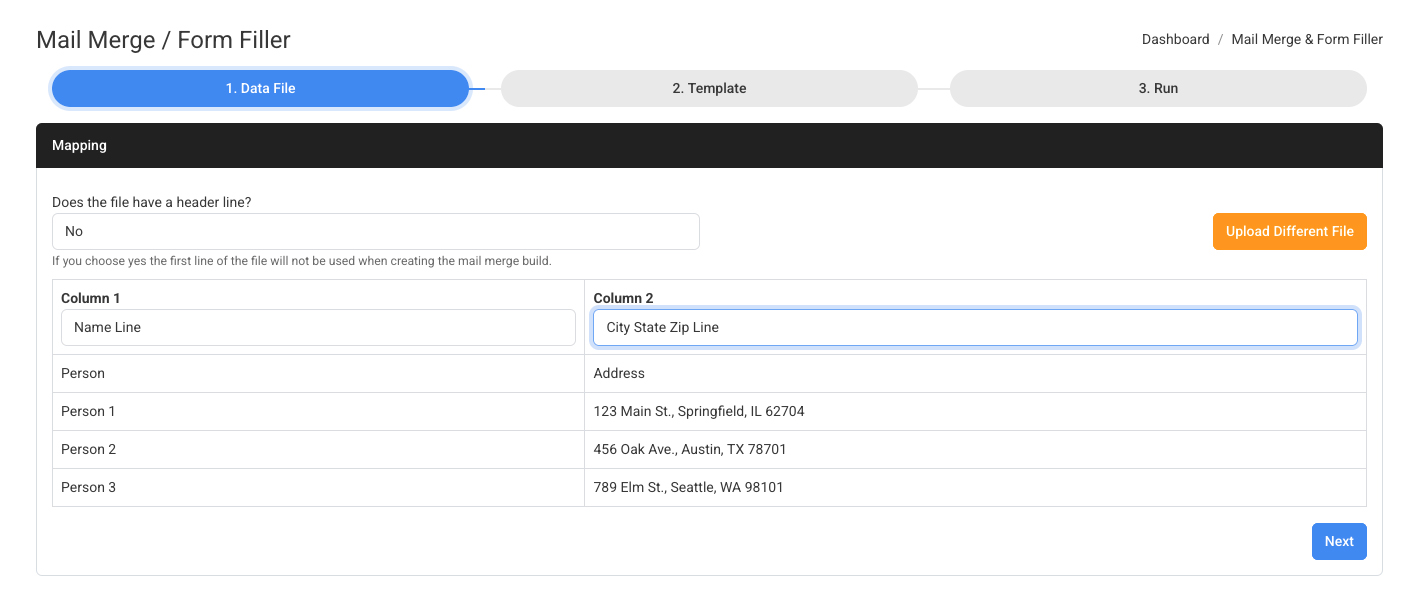
Upload Your CSV File
Drag and drop your CSV file into the tool. Each column in your spreadsheet becomes an available variable that can be placed anywhere on your base image.
Click to enlarge
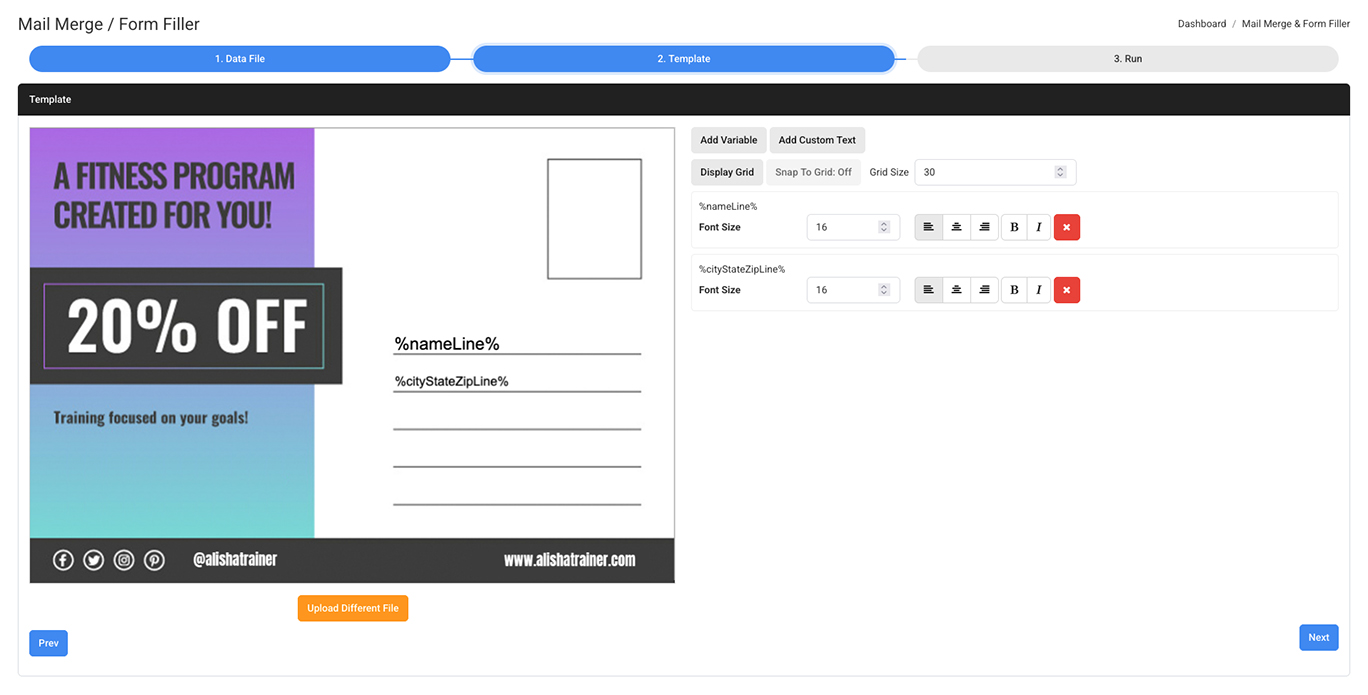
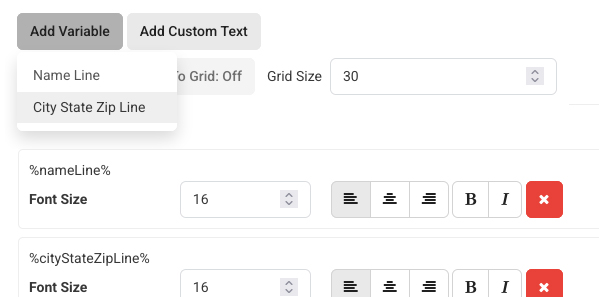
Upload Your Base Image & Add Text
Drop in the base image that your variable data will be printed on.
Click to enlarge
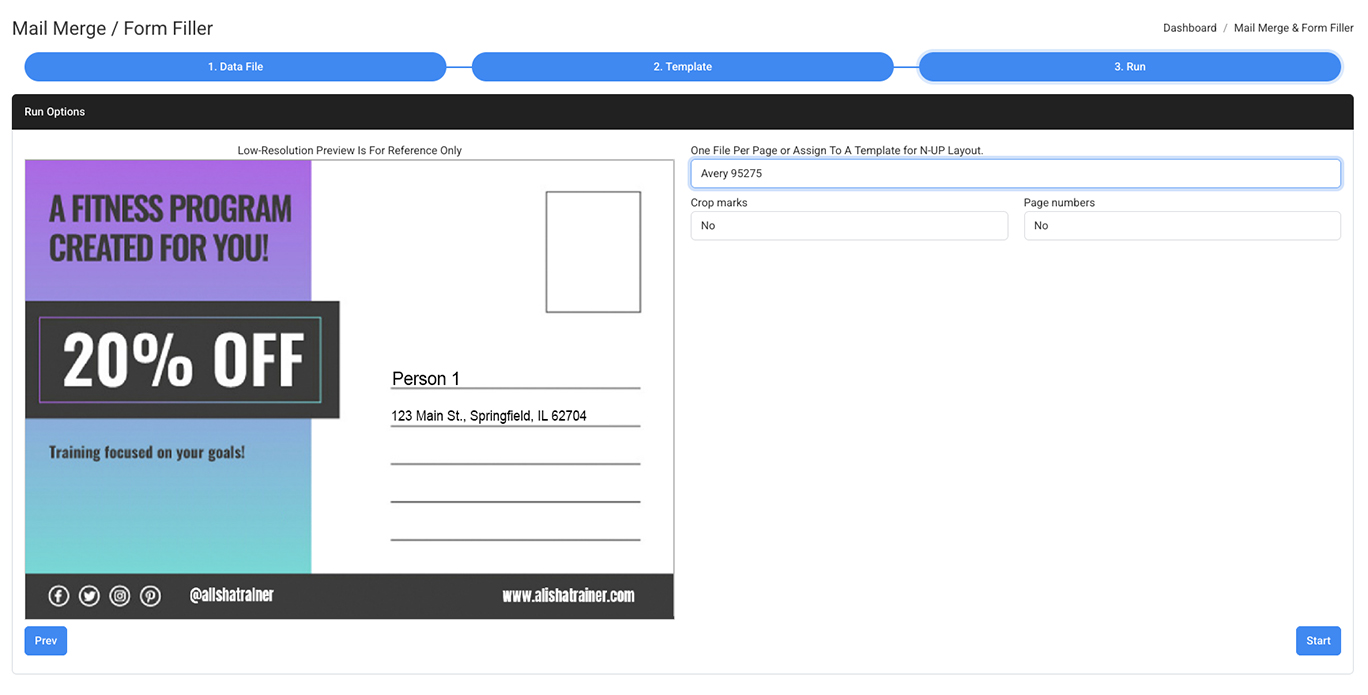
Run It (With or Without Imposition)
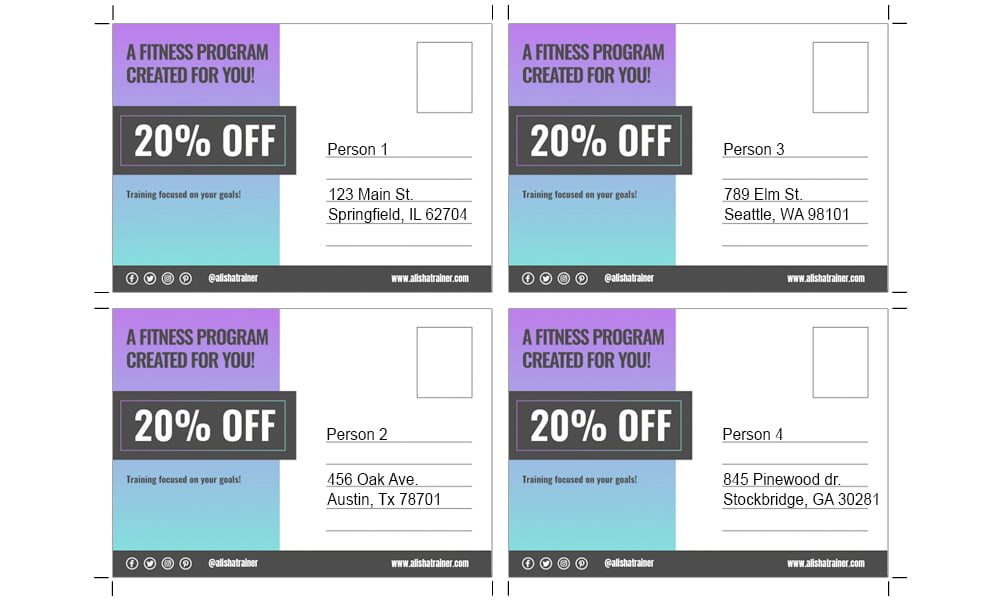
Once you have placed all your text fields in the correct positions with the correct size you’re ready to click the start button in the bottom right corner. But before you do, on this step:
Click to enlarge
Ready to Get Started?
No setup charges, no long-term contracts. Free setup and support included.
Video Tutorials
Step-by-step walkthroughs on YouTube covering every tool and workflow.
Watch videos →What is mail merge? How do I do a mail merge?
Mail merge is a process that combines a data file, typically a spreadsheet or CSV, with a template document or image to produce a unique output for each record. For example, a list of 500 addresses merged with a postcard design produces 500 individually addressed postcards. With File Splice, you upload your CSV, upload your base image, place your variable fields, and click start. The merge runs in the cloud and your files are ready to download in minutes.
How do I mail merge a PDF to a CSV?
To merge a PDF with CSV data, upload your CSV file first to map your variable columns, then upload your PDF as the base image. Place your variable text fields, like name, address, or any custom field, directly onto the PDF, size and position them, then run the merge. File Splice outputs a personalized PDF for every row in your CSV.
How do I do a mail merge from Excel to Word?
The traditional Excel-to-Word mail merge works well for standard documents, but falls short when you need print-ready PDFs, variable data on images, or bulk imposition for a print shop. File Splice handles all of that. Export your Excel data as a CSV, upload it alongside your base image or PDF, and get print-ready personalized files without Word in the equation.
What is variable data printing?
Variable data printing (VDP) is a form of digital printing where elements like text, images, or barcodes change from one printed piece to the next based on a data source. It’s widely used for direct mail, personalized marketing, membership cards, and more. File Splice makes variable data printing accessible without expensive software, just a CSV, a base image, and a few clicks.