

If you run a WordPress site that has a need for imposing or merging files, we have a simple solution for you: the File Splice plugin for WordPress. It is a lightweight, easy-to-use imposition tool that brings professional print-sheet creation and document merging right to your WordPress dashboard!
What Does The File Splice Plugin Do?
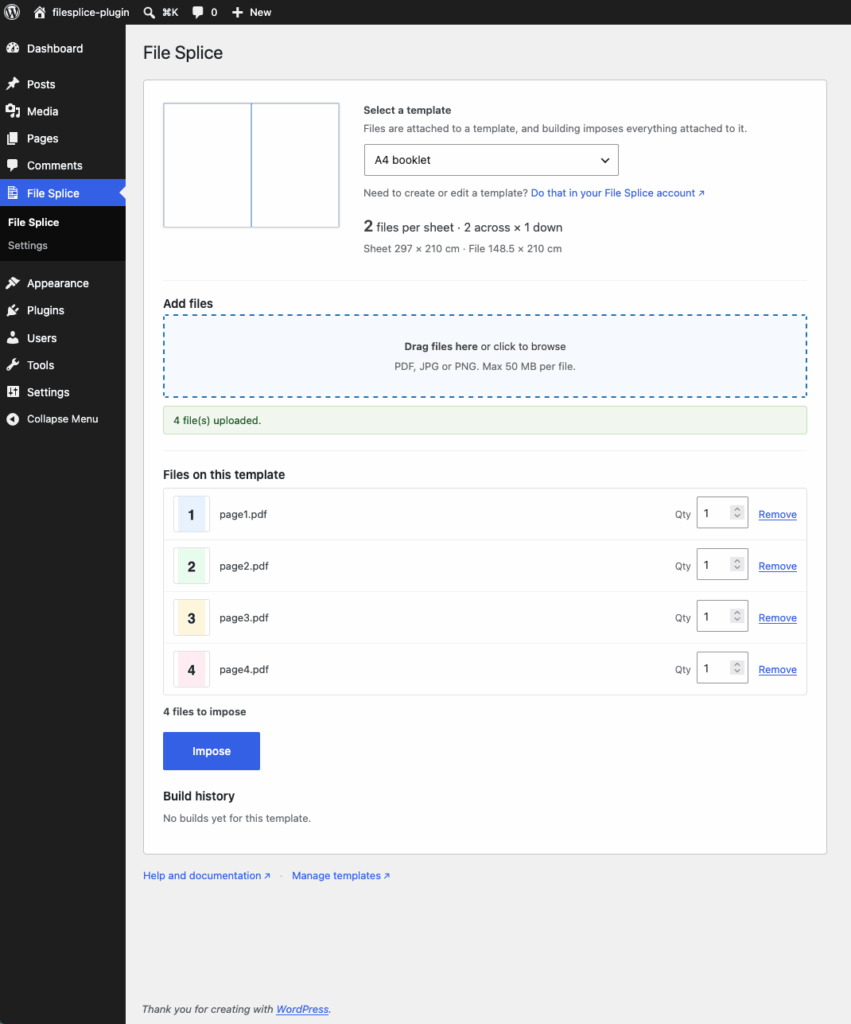
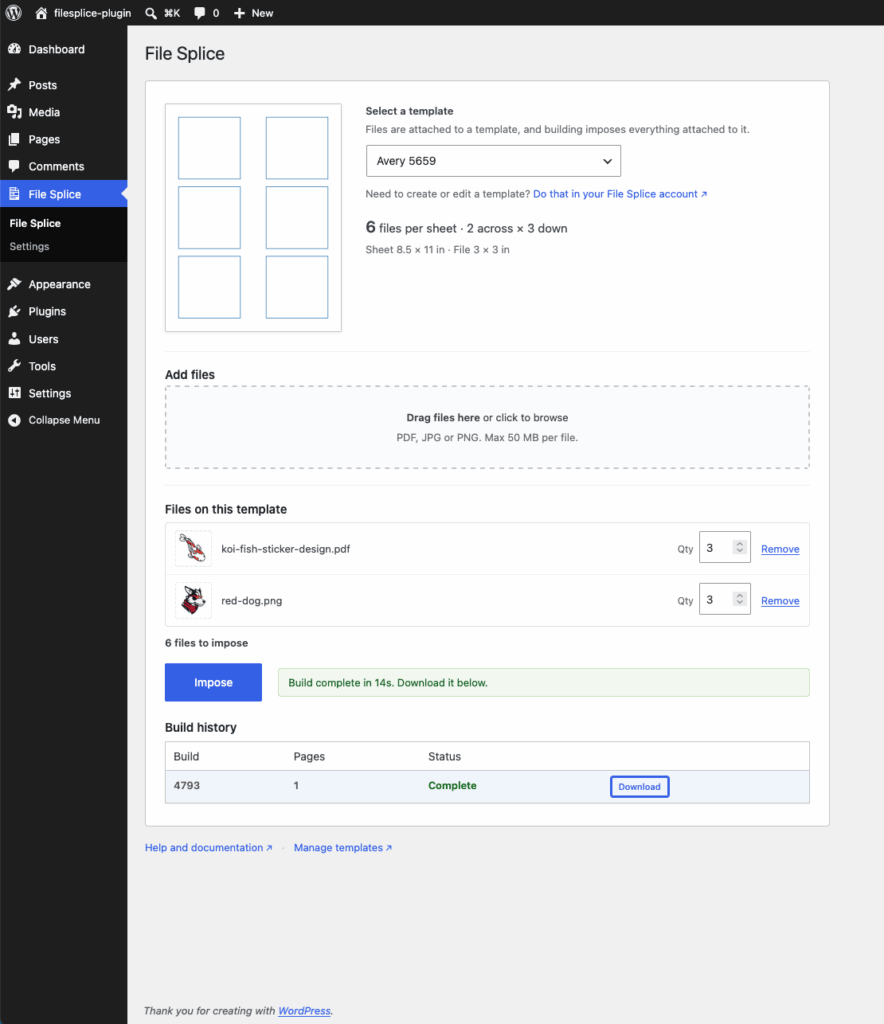
Imposition is the process of arranging multiple designs on a single large sheet to speed up printing, save paper, and reduce waste. File Splice acts as a direct bridge between your WordPress site and the powerful File Splice API, allowing you to merge and arrange your files (PDFs, JPGs, and PNGs) without ever leaving your WordPress admin area.
If you run a web-to-print shop on WordPress, this is a no-brainer. You can set up your custom sheet layouts for designs, product lines, or customers within File Splice and then upload and merge your files right in your WordPress backend as you fulfill orders.
In addition to imposition, you can use it as a tool to merge standard PDF documents and interleave them with image files (think survey work, legal documents, case files, etc.). You have full control over creating templates consisting of page size, margins, spacing between files, automatic cover sheets, and more. This makes it a powerful document management tool rather than just imposition software for printing projects.
Why You’ll Love It:
- Effortless Imposition: Combine multiple files into a single, print-ready document in just a few clicks.
- To-Scale Previews: Easily preview how your press sheet will look and how many files will fit before you generate the final build.
- Custom Quantities: Need 50 of one design and just 10 of another? You can set per-file quantities right in the dashboard, and File Splice will calculate the sheets automatically.
- Automatic Cover Sheets: Insert automatic cover sheets between files. This allows you to organize files and easily identify versions within large runs.
- Lightning-Fast Processing: Because the heavy lifting is handled by the external File Splice servers, it won’t slow down or overload your web hosting.
How to Get Started
It’s important to note that this plugin acts as a front-end interface for the File Splice service. To use it, you will need an active, paid File Splice account and an API key.
Once your account is set up, you simply install the plugin, pop your API key into the settings, and you’re ready to start building templates and merging files! All of your uploaded files are processed securely and deleted automatically after 14 days, keeping things tidy and safe.
If you need help or have questions with anything from setup and installation to running a job, the File Splice team always offers free support.